* * HELP & MANUAL PREMIUM PACK 4 DEMO VERSION * *
This documentation was styled with a demo skin from the Premium Pack 4 add-on for Help & Manual. The contents of the skin are encrypted and not configurable. You can only publish HM projects with this skin. You cannot edit it or change it.
This version is copyright and may only be used for local testing purposes. It may not be distributed.
Please purchase the full version of the Premium Pack to get the configurable skins and remove this notice. The package will also include the Toolbox configuration utility for Premium Pack skins.
MDI Overview
Special kind of dialogs.
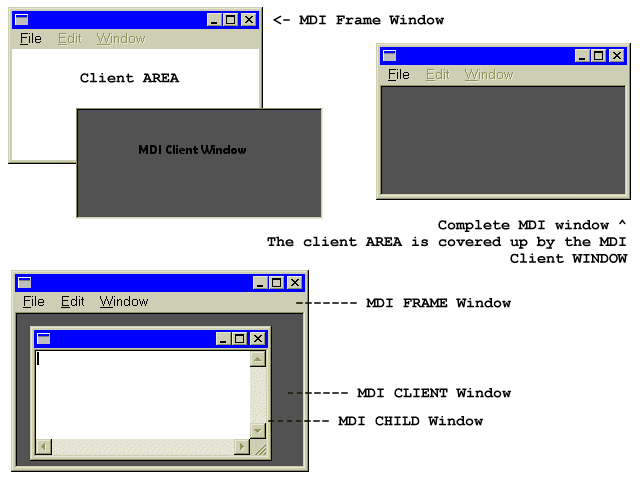
Every window has a Client Area, this is where most programs draw images, place controls etc... the Client Area is not separated from the window itself, it is simply a smaller specialized region of it. Sometimes a window can be all client area, and nothing else, sometimes the client area is smaller to make room for menus, titles, scrollbars, etc...
In MDI terms, your main window is called the Frame, this is probably the only window you would have in a SDI (Single Document Interface) program. In MDI there is an additional window, called the MDI Client Window which is a child of your Frame window. Unlike the Client Area it is a complete and separated window all on it's own, it has a client area of it's own and probably a few pixels for a border. |
|
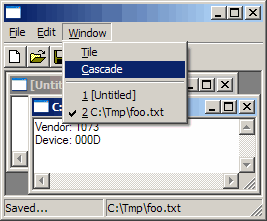
The following diagram may clear things up a little better: